Digital Minimalism and the Rotary Phone
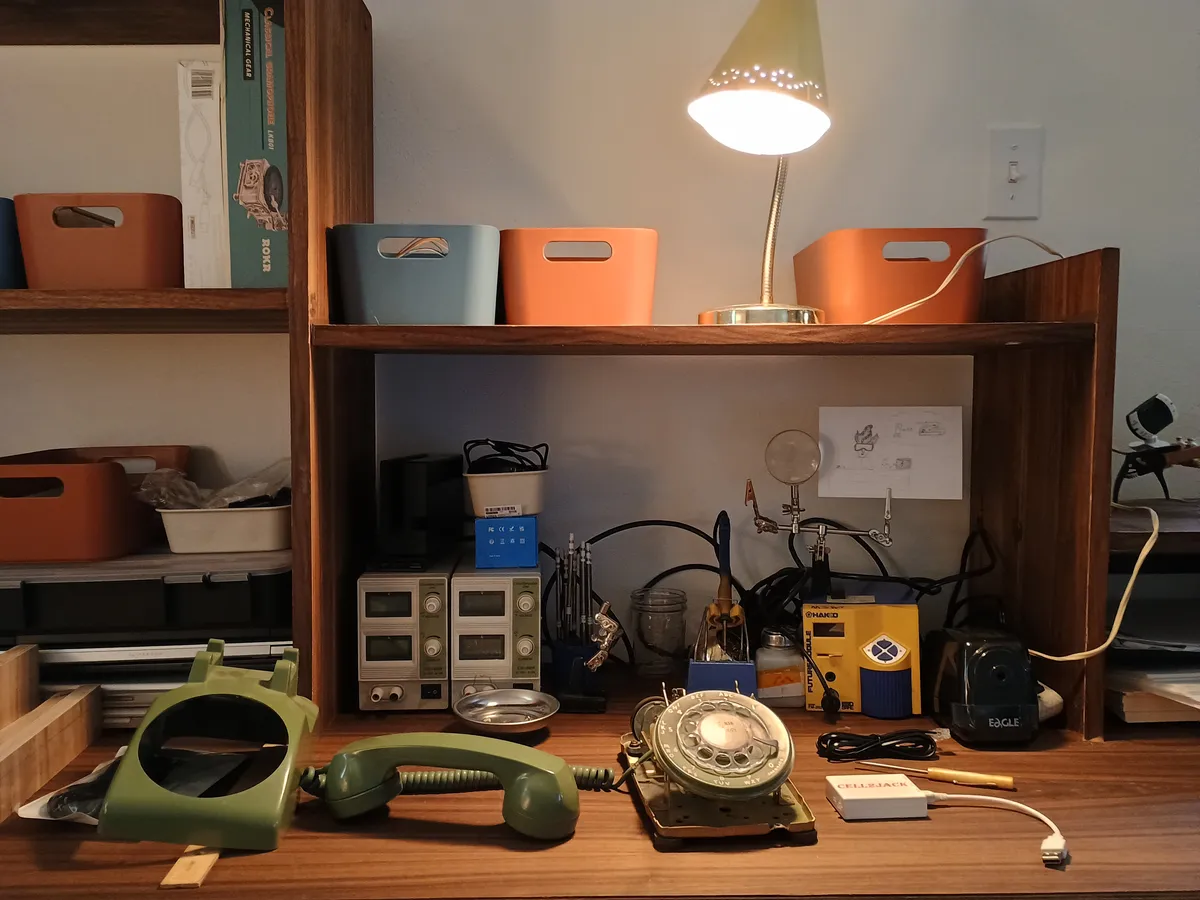
About six years ago, I picked up this avocado green rotary phone from a Goodwill in Olympia via their online market, and it’s been a decorative piece in my house ever since. I’ve been wanting to get it working and connect it to my smartphone for some time, so I thought this would be a great opportunity to work on it for my first project on the blog.
Now, if you’re like the cashier Ace Hardware this morning who asked what I was buying solder for, you might be wondering why I would even want to connect a smartphone to a rotary phone.
If you are not wondering that, feel free to skip the next four paragraphs and continue with the build. :)
Many who know me have heard my soapbox on smartphones, data collection, and the like. This technology, while beneficial in so many ways, comes at a substantial cost to our society. Both in terms of lost privacy, and lost human interaction. Since smartphones are so integrated into every transaction and system we interact with, I worry that we’ve lost a basic right we didn’t even know we had, one to live an analog life that prioritizes privacy and time away from screens.
However, I don’t have the power to change the big tech companies, and I don’t have the option of not having a smartphone since every major public and private system I interact with utilizes them. The thing I can control is where the phone goes in my house, so I want to find a way to make it work for me and limit the collateral damage.
When it comes to receiving notifications at home, I cannot think of a better device for intraday communications than a landline phone. It’s there for an emergency or time sensitive issue, but it’s not constantly flooded with notifications and suggestions. Plus no one is sitting on the line listening to my calls so they can sell me something I mentioned in the phone call later. A level of privacy invasion that is a given with your smartphone, but frankly sounds terrifying and creepy when you apply it to any other context.
This brings me to the rotary phone as a smart phone handset and charging station. I can create the benefits of a landline when I’m at home, but still grab my phone off the charger and take it with me when I go out the door so I have maps, my camera, and the apps I need.
My initial plan on this project seemed quite simple. Estimated time to completion: 30 minutes.
- Open the phone up
- Solder on a new RJ-11 cable (the old one was not removable, but had been clipped)
- Connect to the bluetooth hub Cell2Jack (see link at bottom)
- Call everyone I know and tell them I’m on a rotary phone.
However, after opening up the phone and comparing it to the wiring diagrams, something was not right.
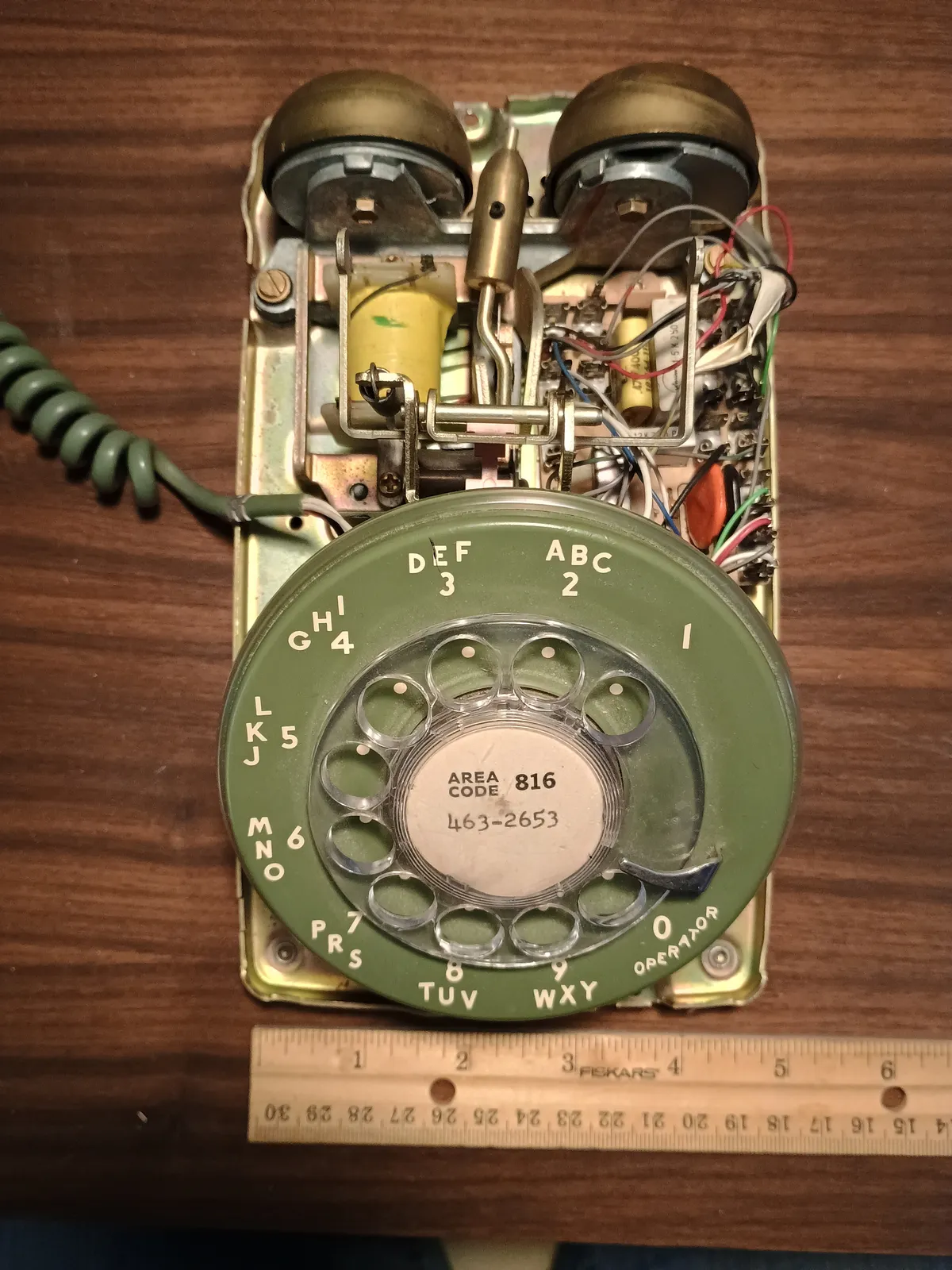
The standard Western Electric 500 network I had a diagram for and the videos I watched looked NOTHING like the network on my phone. What the heck was going on with this phone?
I was expecting a network block that looked like this 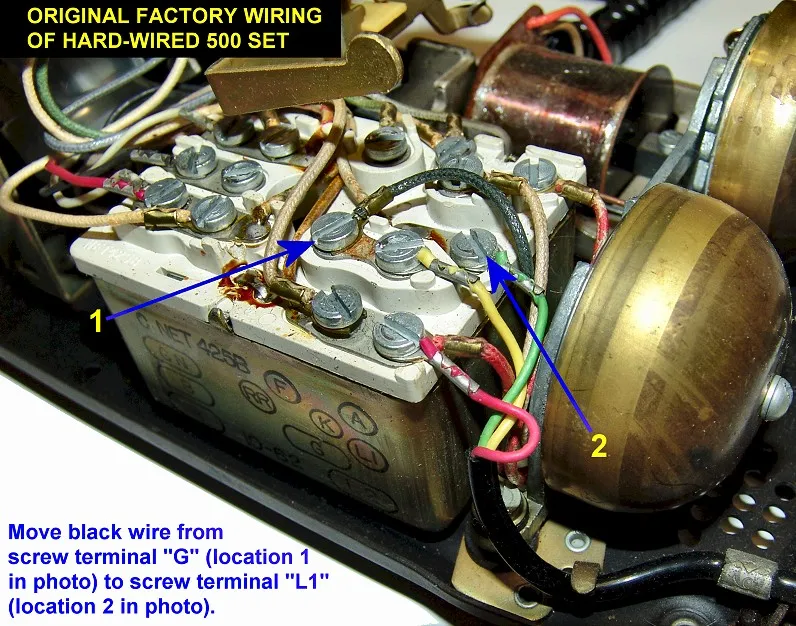 Photo Credit: https://memorial.bellsystem.com/telephones-500.html
However, the inside of my phone looked like this and had a PCB for a network module.
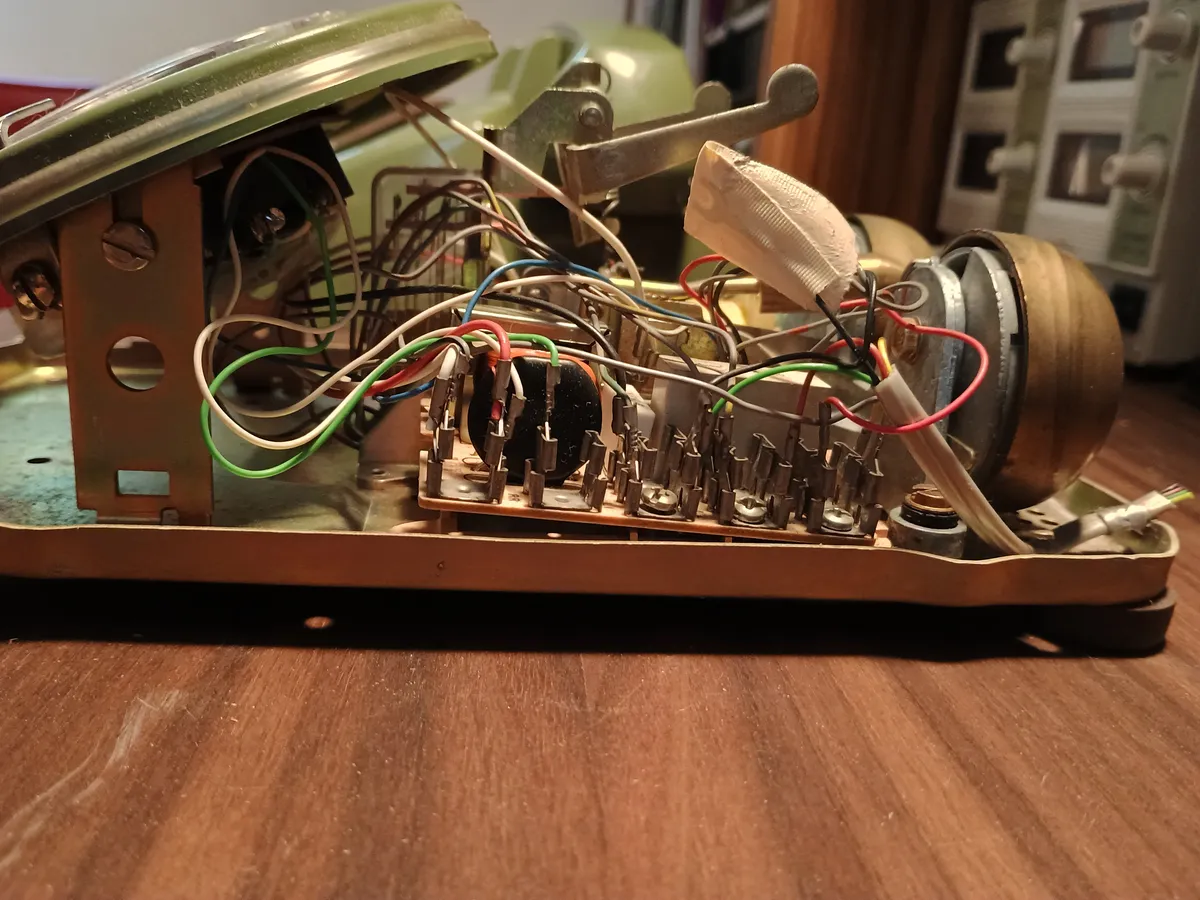
After very roughly diagramming the wires on the network in my phone, I had a pretty clear understanding that all the same wires were present as my reference for the standard network so I felt confident I was on the right track, but I was not confident what this network was or why it was different from every other manual I had read and video I had watched.
This is what the wiring diagram for a standard WE500 looks like.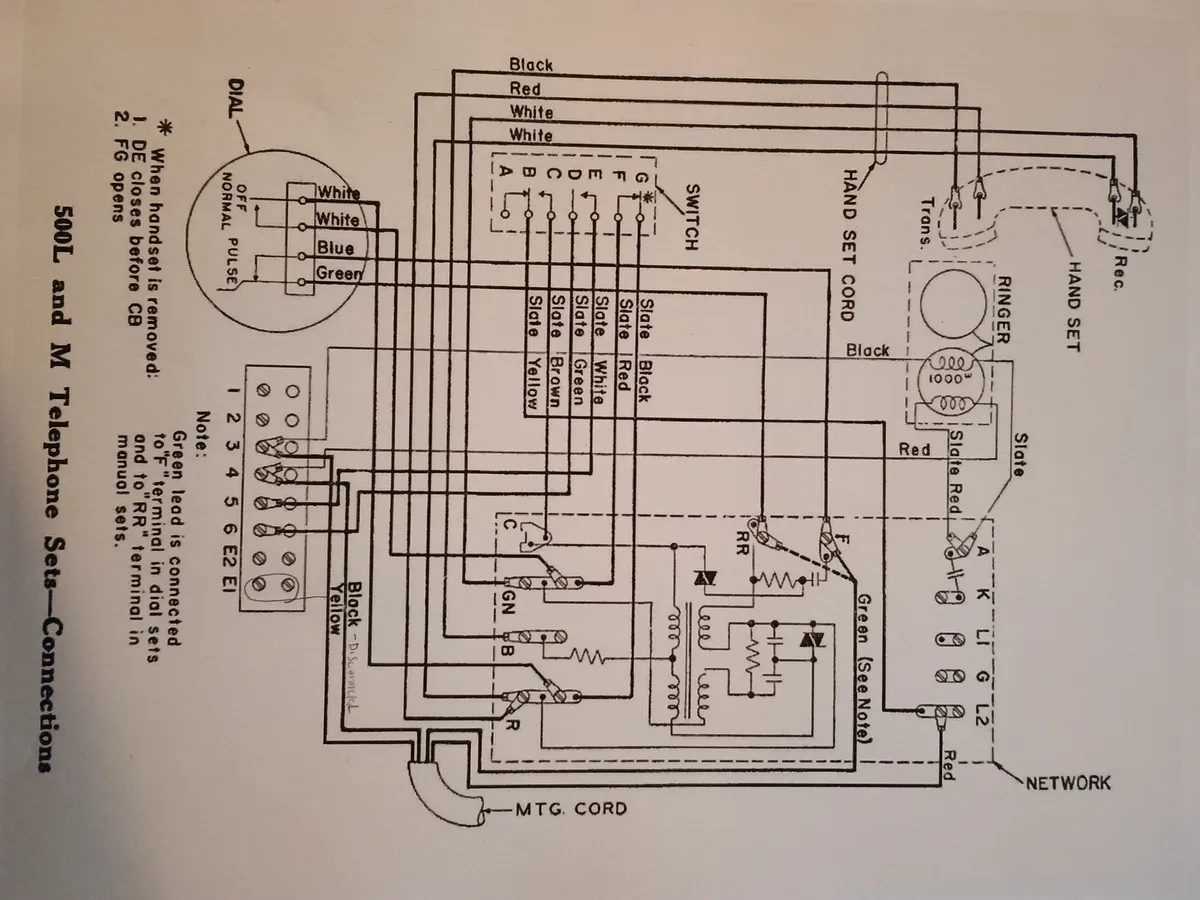
At this point I could move forward hoping that everything was essentially wired correctly, solder the new RJ-11 cable to the old one, and then test it. However, I did not have much wire to work with given how closely the previous owner had clipped the cable, and I was not excited about making a mistake at this point and then getting stuck rewiring an entire section if I cut it too close and had to pull out the old wire.
Fortunately, I was able to find a guide from ITT for the Model 181427 Network, which is the one that had been installed in my phone. The manual was dated Oct 1984, which gives me a rough idea of when the phone was made, as previously my best guess was based on the model number and the avocado green color of the phone.
I compared my diagram with the standard network module to make sure all of the connections were in fact in the correct place, and matched up with the correct lines on the RJ-11 cable.
For my purposes I only needed the red and green wire from the RJ-11. The green is the “tip”, which is phone speak for the audio signal, and the red is the ringer. These were easy to solder together with some basic 60-40 rosin core, and then everything got wrapped up in some electrical tape for insulation.
After soldering the connections, I was able to connect the phone to a clever little device called Cell2Jack. This particular device was not on the market when I dreamed up this project years ago, so I was delighted to see something so simple and relatively affordable available. It has a 5V input, output for charging the smartphone, and an RJ-11 jack.
For pairing, the Cell2Jack is just 3 steps:
- Connect the power and the RJ-11 cable
- Dial 0 four times on the rotary phone
- Pair it with your device via Bluetooth.
Once the Cell2Jack was connected, I ran a successful test call and all seemed well.
Success! Now I am able to receive calls with working ringer and make calls with the rotary dial. In the future, I may set it up to link with other features such as the voice assistant or other notifications.
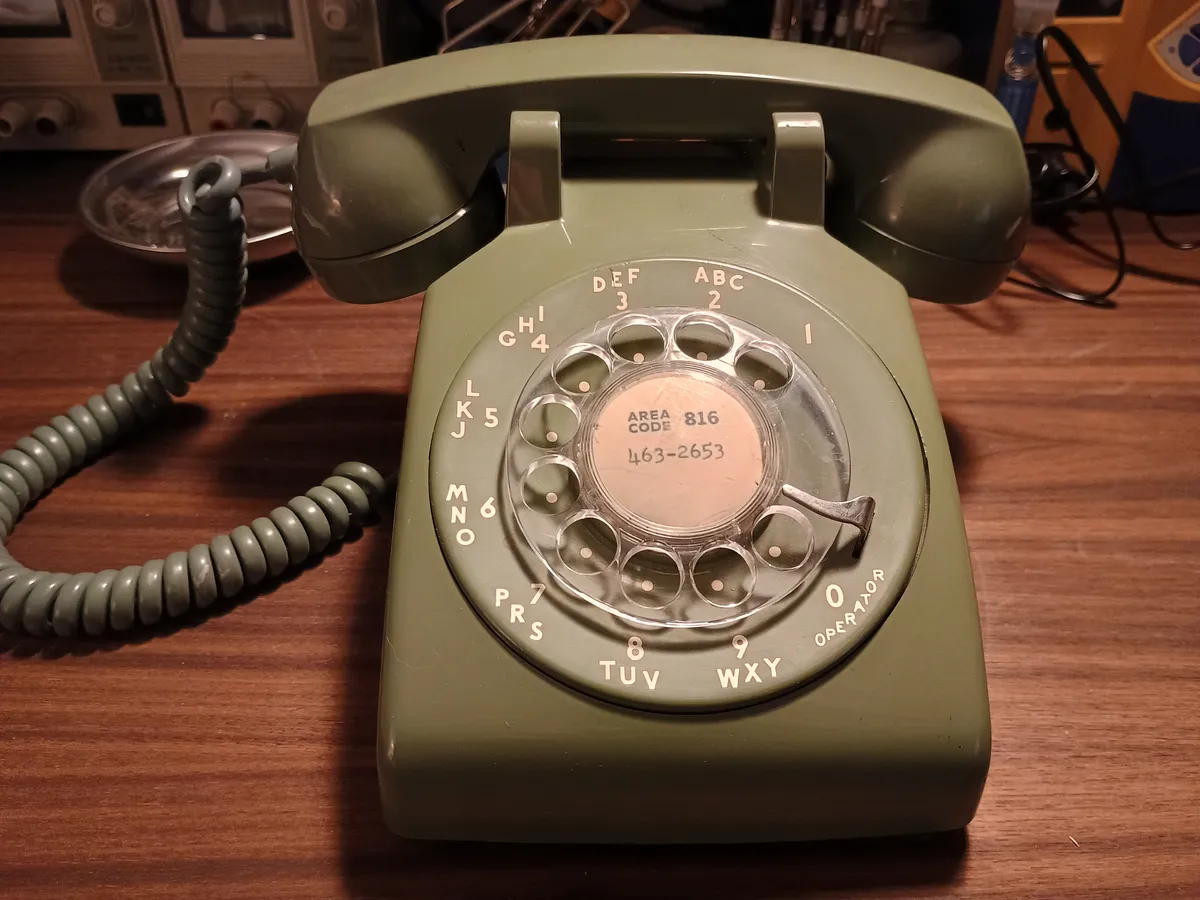
My planned next step on this project is building a box to act as a base for the phone. I intend to make it with the same walnut veneer I built my workbench from, so that I can tuck my smartphone underneath and let it charge while I’m at home. This will allow me to check my phone less often but still hear calls when they ring through on the rotary phone.
Thanks for checking out my first blog post - if you want to exchange ideas or point out a mistake I made that will cause my house to burn down - email me at hello@lookwhatmollymade.com
Cell2Jack https://www.amazon.com/Cell2jack-Cellphone-Adapter-Receive-landline/dp/B089984QRT/ref=sr_1_1?sr=8-1